PSUs in 2026: Future-Proofing Your Gaming PC Wattage
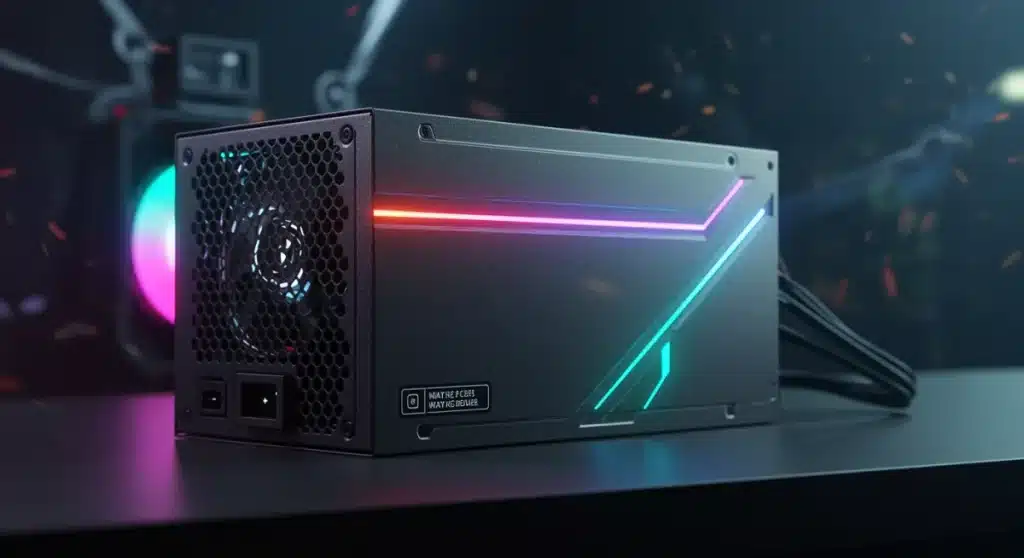
Choosing the right power supply unit (PSU) wattage for your gaming PC in 2026 is essential for future-proofing, ensuring stable performance and accommodating upcoming hardware upgrades without immediate replacement.
As we advance towards 2026, the landscape of PC gaming is evolving at an unprecedented pace, bringing with it new challenges and considerations for hardware enthusiasts. One of the most critical, yet often overlooked, components in any high-performance gaming rig is the power supply unit. Understanding Power Supply Units in 2026: Choosing the Right Wattage for Future-Proofing Your Gaming PC is no longer just about meeting current demands, but about anticipating the needs of tomorrow’s cutting-edge components. This guide will help you navigate the complexities of PSU selection, ensuring your investment stands the test of time.
Advertisements
The Evolving Demands of Gaming Hardware
The relentless pursuit of graphical fidelity and processing power continues to drive innovation in gaming hardware. Each new generation of GPUs and CPUs brings increased performance, often accompanied by higher power consumption. For gamers building or upgrading their systems in 2026, this means a careful re-evaluation of their power supply needs.
Modern graphics cards, especially those targeting 4K resolution and high refresh rates, can draw significant power. Similarly, multi-core processors, while more efficient than their predecessors, still require substantial wattage to deliver peak performance under heavy gaming loads. Ignoring these trends can lead to instability, system crashes, or the inability to upgrade components without a complete PSU overhaul.
GPU Power Requirements: A Shifting Landscape
Graphics Processing Units (GPUs) are consistently the hungriest components in a gaming PC. As we move closer to 2026, the power envelopes for top-tier GPUs are projected to continue their upward trend, albeit with an increasing focus on efficiency.
- Next-Gen GPUs: Expect flagship GPUs in 2026 to push beyond current power limits, potentially requiring 450W-600W or even more for the card alone.
- Connectors: The adoption of 12VHPWR (PCIe 5.0) connectors will become standard, capable of delivering up to 600W through a single cable, simplifying wiring but demanding robust PSU design.
- Efficiency Gains: While raw wattage may increase, expect manufacturers to also focus on improved power efficiency, meaning more performance per watt, but still higher peak draws.
Considering these factors, selecting a PSU with ample headroom above the official TDP (Thermal Design Power) of your chosen GPU is a prudent strategy. This buffer accounts for power spikes and allows for future GPU upgrades without immediate PSU replacement.
CPU and Motherboard Considerations
While GPUs dominate power consumption, CPUs and motherboards also contribute significantly to the overall system wattage. High-end processors, particularly those designed for enthusiast gaming and content creation, can draw upwards of 200-300W.
Motherboards, especially those with robust VRMs (Voltage Regulator Modules) and extensive connectivity, also have their own power requirements. Factor in chipsets, M.2 SSDs, and other integrated components when calculating your total system draw. The sum of these individual components forms the baseline for your PSU selection, ensuring every part of your system receives stable and sufficient power.
In conclusion, the power demands of gaming hardware are on an upward trajectory. Understanding the specific needs of future GPUs, CPUs, and motherboards is paramount for making an informed PSU decision that will keep your gaming rig performing optimally through 2026 and beyond.
Understanding PSU Efficiency Ratings
Beyond raw wattage, the efficiency rating of a power supply unit is a critical factor often overlooked by many gamers. An efficient PSU converts a higher percentage of AC power from the wall into usable DC power for your components, with less energy wasted as heat. This not only reduces your electricity bill but also contributes to a cooler, quieter, and more stable system environment.
The 80 PLUS certification program categorizes PSUs based on their efficiency at different load levels. These ratings range from 80 PLUS Bronze to Titanium, with each tier representing a higher level of efficiency. For a future-proof gaming PC, aiming for at least an 80 PLUS Gold or Platinum rating is highly recommended.
The 80 PLUS Standard Explained
The 80 PLUS program provides a standardized way to measure a PSU’s efficiency. A unit with an 80 PLUS certification guarantees at least 80% efficiency at 20%, 50%, and 100% of its rated load. Higher tiers like Gold, Platinum, and Titanium offer even better performance.
- 80 PLUS Gold: Typically offers 90% efficiency at 50% load, a sweet spot for many high-end gaming builds, balancing cost and performance.
- 80 PLUS Platinum: Achieves 92% efficiency at 50% load, providing even greater energy savings and less heat generation, ideal for enthusiasts.
- 80 PLUS Titanium: The highest tier, offering 94% efficiency at 50% load, representing the pinnacle of PSU engineering and efficiency, though often at a premium price.
Investing in a higher efficiency PSU pays dividends over time through reduced energy consumption. Furthermore, a more efficient unit generates less heat, which can extend the lifespan of the PSU itself and other internal components by maintaining lower operating temperatures within your PC case.
Benefits of Higher Efficiency
Choosing a PSU with a higher efficiency rating offers several tangible benefits that contribute to a better gaming experience and long-term system stability. These advantages extend beyond mere power savings and impact the overall health of your PC.
Firstly, less wasted energy means less heat production. This reduces the strain on your case fans and CPU/GPU coolers, leading to quieter operation, especially during intense gaming sessions. A cooler system is also a more stable system, less prone to thermal throttling or sudden shutdowns.
Secondly, higher efficiency often correlates with higher quality components and better build practices within the PSU itself. Manufacturers who invest in achieving Platinum or Titanium ratings typically use superior capacitors, transformers, and other internal components, leading to greater reliability and longevity. This is crucial for a future-proof build, as you want your PSU to last through several hardware upgrade cycles.
In essence, a higher efficiency rating is not just about saving a few dollars on your electricity bill; it’s an indicator of a well-engineered product designed for stability, durability, and optimal performance, making it a wise investment for any serious gamer.
Calculating Your Total System Wattage
Accurately estimating the total power consumption of your gaming PC is the cornerstone of choosing the correct PSU wattage. Underestimating can lead to system instability, while overestimating can result in unnecessary expense and potentially less efficient operation if the PSU runs consistently below its optimal load range.
Several online PSU calculators can assist with this, but understanding the underlying principles allows for a more informed decision. You need to account for all major components, including CPU, GPU, motherboard, RAM, storage devices, and peripherals.
Component-Specific Power Draws
Each component in your PC has a specific power draw, though these figures often represent maximum theoretical loads. For practical purposes, it’s better to consider typical gaming loads or peak loads for short bursts.
- Graphics Card (GPU): This will be your primary power consumer. Refer to the manufacturer’s recommended PSU wattage or the card’s TDP for an accurate estimate. For high-end cards in 2026, this could be 400W-600W.
- Processor (CPU): High-performance CPUs can draw 150W-300W under heavy load, especially when overclocked.
- Motherboard: Typically around 50W-100W, depending on features and integrated components.
- RAM: Each stick of DDR5 RAM consumes very little, usually 5W-10W.
- Storage (SSDs/HDDs): NVMe SSDs are generally 5W-10W, while HDDs might be 10W-20W.
- Case Fans & Peripherals: Factor in an additional 20W-50W for various fans, RGB lighting, and USB-connected devices.
Summing these values provides a baseline. However, remember that these are peak theoretical numbers. Real-world usage, especially in gaming, rarely sees all components drawing their absolute maximum simultaneously. Nonetheless, it’s crucial to ensure your PSU can handle these potential peak loads.
Using a PSU Calculator Effectively
Online PSU calculators are invaluable tools, but they are only as good as the data you input. When using one, be as precise as possible with your component selections. Don’t just pick a generic ‘high-end GPU’; specify the exact model you plan to use or a comparable future model.
Always add a buffer to the calculator’s recommended wattage. A general rule of thumb is to add 150W-200W to the calculated total. This buffer serves several purposes: it accounts for power spikes, allows for minor component upgrades in the future, and ensures the PSU operates within its most efficient load range (typically 50-70% of its maximum capacity). For a future-proof gaming PC in 2026, this buffer is non-negotiable, ensuring stability and longevity.
By diligently calculating your system’s wattage and applying a sensible buffer, you can confidently select a PSU that meets both current and future power demands, avoiding costly upgrades down the line.
Future-Proofing Your PSU Selection for 2026
The concept of future-proofing in PC building is about making choices today that will minimize the need for immediate upgrades tomorrow. For power supply units, this means considering not just the current generation of hardware, but also the anticipated trends and technologies of 2026 and beyond. A well-chosen PSU can easily last through several GPU and CPU upgrade cycles, saving you money and hassle.
The key to future-proofing is to anticipate increased power demands from next-generation components, embrace new power standards, and prioritize quality and reliability in your PSU choice. Don’t just meet the minimum requirements; aim for comfortable headroom.
Anticipating Next-Gen Hardware Power Spikes
While average power consumption is important, modern high-performance GPUs and CPUs are increasingly characterized by significant transient power spikes. These are momentary surges in power draw that can exceed the component’s typical TDP by a considerable margin.
- Dealing with Spikes: A PSU with higher overall wattage and robust power delivery mechanisms is better equipped to handle these spikes without triggering overcurrent protection or causing system instability.
- Capacitor Quality: Look for PSUs with high-quality Japanese capacitors, which are known for their durability and ability to handle fluctuations in power delivery.
- Headroom: The 150W-200W buffer mentioned earlier is crucial here, as it provides the necessary overhead to absorb these power spikes without stressing the PSU.
Overlooking the potential for these transient power spikes is a common mistake that can lead to frustrating system crashes, especially during demanding gaming sessions. A future-proof PSU will have the capacity and quality to absorb these surges gracefully.
PCIe 5.0 and ATX 3.0: New Standards
The introduction of the ATX 3.0 standard and PCIe 5.0 power connectors (12VHPWR) is a significant development for PSUs in 2026. These standards are specifically designed to address the higher power demands and transient power spikes of next-generation hardware.
ATX 3.0 PSUs are engineered to handle up to 3x the GPU’s power consumption for 100 microseconds and 2x the total system power for 10 milliseconds, providing much greater stability. The 12VHPWR connector can deliver up to 600W through a single cable, replacing multiple 8-pin PCIe connectors. For true future-proofing, an ATX 3.0 compatible PSU with native 12VHPWR connectors is a must-have, eliminating the need for adapters and improving safety and reliability.
In summary, future-proofing your PSU involves selecting a unit with ample wattage headroom, the ability to handle power spikes, and compliance with the latest ATX 3.0 and PCIe 5.0 standards. These choices will ensure your gaming PC remains a stable and powerful platform for years to come.
Modular vs. Non-Modular PSUs: What’s Best for You?
When selecting a power supply unit, beyond wattage and efficiency, you’ll encounter different cabling configurations: non-modular, semi-modular, and fully modular. Each type offers distinct advantages and disadvantages, impacting cable management, aesthetics, and ease of installation. Your choice often comes down to balancing cost, convenience, and the specific needs of your PC build.
For a future-proof gaming PC, especially one with high-end components and potentially more complex cooling solutions, the benefits of modularity often outweigh the slightly higher cost.
Non-Modular and Semi-Modular Options
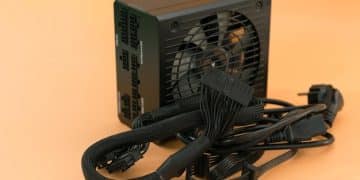
Non-modular PSUs have all their cables permanently attached. They are typically the most affordable option but offer the least flexibility for cable management. You’ll likely end up with unused cables cluttering your case, impeding airflow and making future upgrades more cumbersome.
Semi-modular PSUs offer a compromise: essential cables (like the 24-pin motherboard and 8-pin CPU power) are permanently attached, while other peripheral cables (SATA, PCIe) are detachable. This provides a better balance between cost and cable management, allowing you to remove some unused cables and improve airflow compared to non-modular units.
While these options can be viable for budget builds or systems with minimal components, they present challenges for high-end gaming PCs that often require meticulous cable routing for optimal airflow and aesthetics. The sheer number of cables for a powerful GPU and multiple storage devices can quickly become unwieldy.
The Advantages of Fully Modular PSUs
Fully modular PSUs allow all cables to be detached from the unit. This offers the ultimate flexibility in cable management, as you only connect the cables you need. The benefits are numerous and significant for a future-proof gaming setup.
- Superior Cable Management: Only using necessary cables leads to a much cleaner build, improving airflow and making component installation and upgrades far easier.
- Enhanced Aesthetics: A tidy interior contributes to a professional-looking build, especially important for cases with tempered glass panels.
- Easier Installation & Upgrades: You can install the PSU first, then connect cables as needed, simplifying the building process. When upgrading, you can easily swap out cables or the PSU itself without re-routing everything.
- Custom Cables: Fully modular PSUs are compatible with custom sleeved cable kits, allowing for further aesthetic customization.
For a gaming PC intended to last until 2026 and beyond, a fully modular PSU is a highly recommended investment. The ease of maintenance, improved airflow, and cleaner build aesthetics it provides contribute significantly to a better overall user experience and system longevity.
Key Brands and Reliability in 2026
Choosing a power supply unit isn’t just about wattage and features; it’s also about trust and reliability. The PSU is the heart of your system, providing stable power to all components. A failure can lead to catastrophic damage to other expensive parts. Therefore, selecting a reputable brand known for quality and excellent customer support is paramount, especially when aiming for a future-proof build in 2026.
While new manufacturers may emerge, certain brands have consistently demonstrated their commitment to quality, innovation, and customer satisfaction over many years. Relying on these established names often provides peace of mind.
Top PSU Manufacturers to Consider
Several manufacturers consistently produce high-quality power supply units that meet the demands of modern and future gaming PCs. These brands often lead the way in adopting new standards like ATX 3.0 and offering superior efficiency ratings.
- Corsair: Known for a wide range of PSUs, from budget-friendly to high-end, with excellent efficiency and reliability. Their RMx and HX series are particularly popular among gamers.
- Seasonic: Often considered the OEM for many other brands, Seasonic is synonymous with top-tier quality, performance, and long warranties. They are a go-to for enthusiasts.
- EVGA: Offers a broad selection of PSUs, often with competitive pricing and strong performance. Their SuperNOVA series is a common choice for gaming builds.
- be quiet!: As the name suggests, they specialize in ultra-quiet PSUs, often with high efficiency and robust build quality, ideal for silent PC enthusiasts.
- Cooler Master: A versatile brand offering a good balance of performance and value across various PSU lines.
When researching, look beyond just the brand name. Specific models and series within a brand can vary in quality. Always check independent reviews and professional testing to ensure the model you’re considering meets your expectations for performance and reliability.
Warranty and Customer Support
A strong warranty and reliable customer support are crucial indicators of a manufacturer’s confidence in their product. Since a PSU is a long-term investment, a lengthy warranty provides significant peace of mind.
Many reputable PSU brands offer warranties ranging from 5 to 10 years, or even longer. This covers potential defects and ensures that if your PSU fails within the warranty period, you’ll receive a replacement or repair. Beyond the warranty, consider the manufacturer’s reputation for customer service. Easy access to technical support and a hassle-free RMA (Return Merchandise Authorization) process can make a significant difference if issues arise.
Prioritizing well-regarded brands with extensive warranties and responsive customer support minimizes the risk of unexpected failures and ensures that your future-proof gaming PC remains operational and supported for its entire lifespan.
Installation and Maintenance Tips
Once you’ve selected the perfect power supply unit for your future-proof gaming PC, proper installation and ongoing maintenance are key to ensuring its longevity and optimal performance. Even the best PSU can underperform or fail prematurely if not installed correctly or neglected over time. These steps are crucial for maintaining system stability and protecting your investment.
Attention to detail during installation, combined with a routine maintenance schedule, will help your PSU deliver consistent, clean power to your components through 2026 and beyond.
Proper PSU Installation Practices
Installing a PSU correctly is more than just screwing it into place. It involves thoughtful cable management and ensuring adequate airflow.
- Orientation: Most modern PC cases have a bottom-mounted PSU bay. If your case has a filtered intake vent at the bottom, orient the PSU with its fan facing downwards to draw cool air directly from outside the case. If there’s no bottom vent or if the case is on a carpeted surface, orient the fan upwards to draw air from inside the case.
- Cable Management: Utilize the cutouts and tie-down points in your PC case to route cables neatly behind the motherboard tray. This improves airflow, makes future upgrades easier, and creates a cleaner aesthetic. For modular PSUs, only connect the cables you need.
- Secure Connections: Ensure all power cables are firmly seated in their respective ports on the PSU and components (motherboard, GPU, drives). Loose connections can lead to instability or even component damage.
Taking the time to properly install your PSU will prevent common issues such as overheating due to restricted airflow or intermittent power delivery from loose connections.
Maintaining Your PSU for Longevity
While PSUs are relatively low-maintenance components, a few simple practices can significantly extend their lifespan and maintain efficiency.
The primary maintenance task for a PSU is keeping it clean. Over time, dust can accumulate inside the unit, particularly on the fan blades and heatsinks. This buildup acts as an insulator, trapping heat and forcing the fan to work harder, which can lead to increased noise and reduced lifespan. Regularly (e.g., every 6-12 months) clean the PSU’s exterior and, if accessible, gently blow out dust from the fan and vents using compressed air. Always ensure the PC is powered off and unplugged before cleaning.
Also, periodically check for any loose cable connections, especially if you’ve recently moved your PC or performed other internal maintenance. A well-maintained PSU will not only last longer but will also continue to provide stable and efficient power, safeguarding your gaming rig’s performance for years to come.
The Economic Impact of Your PSU Choice
While the initial cost of a power supply unit might seem like a one-time expense, its economic impact extends far beyond the purchase price. For a future-proof gaming PC, the right PSU can lead to significant long-term savings and provide a better return on investment. Conversely, a poor choice can result in higher electricity bills, costly component replacements, and the inconvenience of premature upgrades.
Considering the total cost of ownership, including energy consumption, potential repair costs, and upgrade cycles, reveals the true value of investing in a high-quality, efficient PSU. This perspective is crucial for making a smart decision for 2026 and beyond.
Energy Savings Over Time
The efficiency rating of your PSU directly translates into how much electricity your gaming PC consumes. A more efficient PSU wastes less energy as heat, meaning more of the power drawn from the wall is actually used by your components. Over the lifespan of your PC, these energy savings can accumulate significantly.
For example, an 80 PLUS Gold PSU (90% efficient at 50% load) will use less power to deliver the same output as an 80 PLUS Bronze unit (85% efficient at 50% load). While the difference might seem small per hour, multiply that by hundreds or thousands of gaming hours per year, and the savings become substantial. This is particularly relevant with ever-increasing electricity costs, making a higher efficiency PSU a sound financial decision in the long run.
Therefore, when comparing PSUs, factor in the potential energy savings. A slightly more expensive, highly efficient unit can often pay for itself over a few years through reduced electricity bills, contributing to a lower overall operating cost for your gaming rig.
Avoiding Costly Future Upgrades and Repairs
Perhaps the most significant economic benefit of a well-chosen, future-proof PSU is its ability to prevent costly upgrades and repairs. An underpowered or unreliable PSU is a ticking time bomb for your system. It can lead to:
- System Instability: Frequent crashes, reboots, or performance issues that hinder your gaming experience.
- Component Damage: In extreme cases, a failing PSU can send unstable voltages to your components, potentially frying your CPU, GPU, or motherboard.
- Premature Upgrades: If your PSU lacks sufficient wattage or the necessary connectors for a new GPU or CPU, you’ll be forced to buy a new PSU sooner than anticipated, adding unexpected costs.
By investing in a high-quality PSU with ample wattage, a strong efficiency rating, and compliance with future standards like ATX 3.0, you mitigate these risks. You ensure that your system remains stable, your expensive components are protected, and your PSU can accommodate future hardware upgrades without needing a replacement. This proactive approach saves you both money and frustration in the long term, making your initial PSU investment a truly economical choice.
| Key Aspect | Impact on Future-Proofing |
|---|---|
| Wattage Headroom | Essential for accommodating next-gen GPUs/CPUs and managing power spikes without instability. |
| Efficiency Rating | Higher efficiency (Gold/Platinum) reduces heat, saves electricity, and often indicates better component quality. |
| ATX 3.0 & PCIe 5.0 | Mandatory for native support of 2026 hardware, handling power spikes and providing 12VHPWR connectors. |
| Modularity | Fully modular designs simplify cable management, improve airflow, and ease future component upgrades. |
Frequently Asked Questions About Gaming PSUs in 2026
For a high-end gaming PC in 2026, targeting a PSU between 850W and 1200W is advisable. This range provides ample headroom for next-generation GPUs and CPUs, accommodates transient power spikes, and allows for future upgrades without needing to replace the power supply unit.
An 80 PLUS Gold rating is a good baseline for future-proofing, offering a strong balance of efficiency and cost. However, for maximum longevity and energy savings, especially with anticipated higher power demands, considering 80 PLUS Platinum or Titanium PSUs would provide even greater future resilience.
ATX 3.0 is crucial because it’s designed to handle the increased power demands and significant power spikes of future GPUs and CPUs. It also natively supports the 12VHPWR (PCIe 5.0) connector, which will be standard for next-gen graphics cards, ensuring compatibility and stable power delivery.
Modularity, especially fully modular designs, significantly improves cable management by allowing you to connect only necessary cables. This leads to better airflow within the case, enhances aesthetics, and makes component installation, cleaning, and future upgrades much easier and less cumbersome.
Using an underpowered PSU can lead to system instability, frequent crashes, random reboots, and even potential damage to expensive components like your GPU or CPU due to insufficient or unstable power delivery. It severely limits upgrade potential and compromises overall system reliability.
Conclusion
Choosing the right power supply unit for your gaming PC in 2026 is a nuanced decision that extends beyond simply matching current component wattage. It’s about strategic foresight, anticipating the evolutionary trajectory of gaming hardware, and making an investment that safeguards your system’s stability and performance for years to come. By prioritizing ample wattage headroom, high efficiency ratings, compliance with new standards like ATX 3.0 and PCIe 5.0, and opting for reputable brands with strong warranties, you can confidently build a future-proof gaming rig. A well-selected PSU is not merely a component; it is the foundation upon which a stable, powerful, and enduring gaming experience is built, ensuring your adventures in virtual worlds remain uninterrupted and exhilarating through 2026 and beyond.