Best Gaming Monitor Upgrades 2026: 144Hz vs. 240Hz Deep Dive
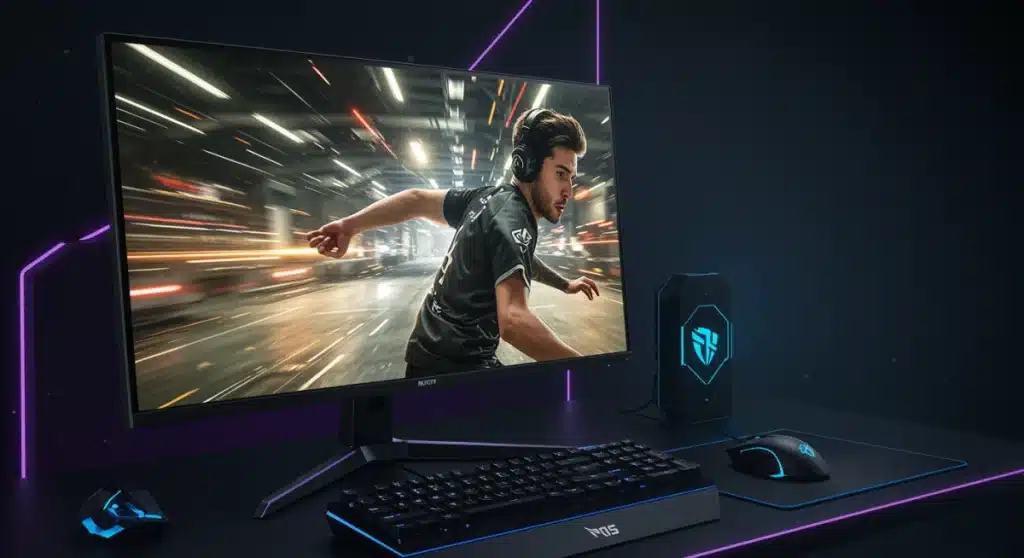
Deciding on a gaming monitor upgrade in 2026 requires understanding the critical differences between 144Hz and 240Hz refresh rates to optimize your competitive and immersive gaming experiences.
As we approach 2026, the landscape of PC gaming continues to evolve at a breathtaking pace, with hardware innovations constantly pushing the boundaries of immersion and competitive advantage. One of the most impactful upgrades a gamer can make to their setup is a new monitor, specifically focusing on refresh rates. This article will delve into the 5 best gaming monitor upgrades for 2026: a deep dive into 144Hz vs. 240Hz, helping you navigate the technical jargon and make an informed decision that elevates your gameplay.
Advertisements
Understanding Refresh Rates: The Core of Smooth Gameplay
Refresh rate, measured in Hertz (Hz), dictates how many times your monitor updates the image on its screen per second. A higher refresh rate means more frames are displayed, resulting in smoother motion and reduced input lag. This is particularly crucial in fast-paced games where every millisecond counts, offering a distinct advantage in competitive scenarios.
The difference between a standard 60Hz monitor and a high-refresh-rate display is immediately noticeable. Images appear more fluid, tracking targets becomes easier, and overall responsiveness improves. For serious gamers, upgrading to a higher refresh rate is often considered one of the most significant enhancements to their gaming experience, directly impacting performance and enjoyment.
The Science of Smoothness
- Frame Rate Synchronization: High refresh rates work best when paired with a powerful GPU capable of rendering frames at a similar rate, often utilizing technologies like NVIDIA G-Sync or AMD FreeSync for tear-free gameplay.
- Reduced Motion Blur: More frames per second mean less time for your eyes to perceive individual frames, leading to a smoother visual experience and significantly less motion blur.
- Input Latency: While not solely dependent on refresh rate, a higher refresh rate generally contributes to lower overall system input latency, making your actions on screen feel more immediate.
Ultimately, a higher refresh rate translates to a more responsive and immersive gaming experience. Whether you’re dodging bullets in an FPS or executing complex combos in a fighting game, the visual fidelity and reduced latency offered by a fast monitor can be a game-changer. This foundational understanding is key to appreciating the nuances between 144Hz and 240Hz monitors.
144Hz Monitors: The Sweet Spot for Many Gamers
For several years, 144Hz monitors have been the gold standard for PC gamers seeking a significant upgrade from traditional 60Hz displays. They offer a substantial leap in smoothness and responsiveness without demanding the absolute top-tier hardware or budget. Many consider 144Hz to be the sweet spot, providing an excellent balance of performance and value.
These monitors are ideal for a wide range of games, from competitive esports titles to graphically intensive single-player adventures. The visual improvement over 60Hz is profound, making gameplay feel significantly more fluid and enjoyable. For most gamers, especially those looking for their first high-refresh-rate monitor, 144Hz remains a highly recommended choice.
Why 144Hz Still Shines in 2026
Even with faster options available, 144Hz monitors continue to be relevant. They are often more affordable, allowing gamers to allocate more of their budget to other components like a more powerful GPU or CPU. Furthermore, many modern games are optimized to run exceptionally well at 144 frames per second, providing a consistent and enjoyable experience.
- Cost-Effectiveness: Generally more budget-friendly than 240Hz or higher, making high-refresh-rate gaming accessible to a broader audience.
- GPU Requirements: Easier to drive at 144 FPS consistently, requiring less powerful (and less expensive) graphics cards compared to 240 FPS.
- Versatility: Excellent for both competitive multiplayer and visually rich single-player games, offering a noticeable upgrade across the board.
The 144Hz refresh rate provides a substantial performance boost over 60Hz, making it a compelling option for gamers who want a noticeable improvement without overspending. It’s a tried-and-true technology that continues to deliver exceptional value and performance in 2026, especially for those looking to optimize their gaming setup without breaking the bank.
240Hz Monitors: The Apex of Competitive Advantage
Stepping up to a 240Hz monitor is a declaration of intent for serious competitive gamers. These displays offer the ultimate in fluidity and responsiveness, providing an unparalleled edge in fast-paced esports titles where every fraction of a second can determine victory or defeat. While the jump from 144Hz to 240Hz might not be as dramatic as 60Hz to 144Hz, the difference is certainly perceptible to trained eyes and competitive players.
A 240Hz monitor excels in games like Valorant, CS:GO, Overwatch, and other titles demanding lightning-fast reflexes and pixel-perfect aim. The reduced input lag and incredibly smooth motion tracking can genuinely improve a player’s reaction time and target acquisition. For professionals and aspiring esports athletes, 240Hz is often considered a mandatory piece of equipment.
Is 240Hz Worth the Investment?
The decision to invest in a 240Hz monitor largely depends on your gaming habits and priorities. If you primarily play competitive shooters and aim for the top ranks, the benefits of 240Hz are clear. However, it comes with higher costs and more demanding hardware requirements to consistently push 240 frames per second.
- Elite Competitive Edge: Provides the smoothest possible visual experience, crucial for top-tier competitive play and minimizing input lag.
- High-End GPU Required: To fully utilize a 240Hz monitor, you’ll need a powerful graphics card capable of consistently rendering frames at 240 FPS or higher in your preferred games.
- Price Premium: Generally more expensive than 144Hz alternatives, reflecting the advanced panel technology and higher refresh rate.
For those who demand the absolute best in competitive performance and have the budget and supporting hardware to match, a 240Hz monitor is an exceptional upgrade. It offers a premium experience that can genuinely enhance your skill and enjoyment in the most demanding gaming scenarios.
Factors Beyond Refresh Rate: Panel Type, Resolution, and Adaptive Sync
While refresh rate is a primary consideration for gaming monitors, it’s not the only factor. Several other specifications play a crucial role in the overall quality and suitability of a display for gaming. Understanding these elements will help you make a more holistic decision for your next monitor upgrade in 2026.
Panel type, resolution, and adaptive sync technologies like G-Sync and FreeSync significantly impact visual fidelity, color accuracy, viewing angles, and tear-free gaming. Neglecting these aspects can lead to a less-than-optimal experience, even with a high refresh rate.
Choosing Your Panel: IPS, VA, or TN?
- IPS (In-Plane Switching): Offers excellent color accuracy and wide viewing angles, making them great for immersive single-player games and content creation. Response times have improved significantly, making them viable for competitive gaming.
- VA (Vertical Alignment): Known for superior contrast ratios and deep blacks, providing a more cinematic experience. Response times can be slower than TN or some IPS panels, but modern VA panels are quite capable.
- TN (Twisted Nematic): Historically the fastest in terms of response time, making them a favorite for competitive gamers. However, they typically suffer from poorer color reproduction and narrower viewing angles.
Resolution and Adaptive Sync
Resolution dictates the clarity and detail of the image. While 1080p is still common for high-refresh-rate competitive gaming, 1440p is becoming increasingly popular, offering a sharper image without demanding as much GPU power as 4K. Adaptive Sync technologies (NVIDIA G-Sync and AMD FreeSync) are essential for eliminating screen tearing and stuttering by synchronizing the monitor’s refresh rate with your GPU’s frame rate. Ensure your chosen monitor supports the adaptive sync technology compatible with your graphics card.
Considering these additional factors alongside refresh rate ensures you select a monitor that not only provides smooth gameplay but also delivers a visually stunning and artifact-free experience tailored to your specific needs.
Top 5 Gaming Monitor Upgrades for 2026: Recommendations
Identifying the absolute “best” monitors can be subjective, as individual needs and budgets vary. However, based on current trends and anticipated advancements for 2026, here are five categories of gaming monitor upgrades that represent excellent choices, balancing performance, features, and value, covering both 144Hz and 240Hz options.
These recommendations are designed to cater to different types of gamers, from those seeking the most competitive edge to those prioritizing immersive visuals and overall value. Each category highlights a specific strength, ensuring there’s a suitable option for almost every setup.
1. The Competitive 240Hz Beast (e.g., Alienware AW2524H or similar)
For the esports enthusiast, a 240Hz (or even higher) 1080p/1440p monitor with a fast IPS or TN panel is paramount. Look for models with extremely low response times (1ms GTG or less) and robust adaptive sync support. These displays prioritize raw speed and clarity above all else, ensuring you never miss a beat in the heat of battle. Expect vibrant colors and wide viewing angles in modern IPS variants, offering a more balanced experience than older TN panels.
2. The Versatile 1440p 144Hz Workhorse (e.g., LG 27GL850-B successor or similar)
This category is for the gamer who wants a fantastic all-around experience. A 1440p resolution at 144Hz provides a significant visual upgrade over 1080p while still offering incredibly smooth gameplay. IPS panels in this range deliver excellent color accuracy and viewing angles, making them perfect for both gaming and everyday productivity. They require a mid to high-range GPU to fully utilize the resolution and refresh rate.
3. The Ultrawide Immersive Powerhouse (e.g., Samsung Odyssey G9 successor or similar)
For those who crave maximum immersion, an ultrawide monitor with a high refresh rate (144Hz or more) is an unparalleled choice. These monitors wrap the game around your peripheral vision, creating an incredibly engaging experience. Look for curved VA panels for deep blacks and impressive contrast, combined with fast refresh rates and adaptive sync to handle the wider aspect ratio smoothly. Note that ultrawide gaming can be demanding on your GPU.
4. The Budget-Friendly 144Hz Starter (e.g., AOC 24G2 or similar)
If you’re on a tighter budget but still want to experience the benefits of high-refresh-rate gaming, excellent 1080p 144Hz monitors are available. These often feature IPS panels, offering good color quality and viewing angles at an accessible price point. They are perfect for gamers upgrading from 60Hz and looking for a significant performance boost without breaking the bank, pairing well with mid-range graphics cards.
5. The Future-Proof 4K High-Refresh Display (e.g., ASUS ROG Swift PG32UQX successor or similar)
For the ultimate visual fidelity and future-proofing, 4K monitors with refresh rates of 144Hz or higher are emerging. These displays offer incredible sharpness and detail, combined with smooth motion. They are typically premium products that demand the very best graphics cards to run games at native 4K resolution and high frame rates. This category is for enthusiasts with top-tier systems and a desire for uncompromised visual quality.
When selecting your next gaming monitor, consider your primary gaming genres, your current PC hardware, and your budget. Each of these categories offers a distinct advantage, ensuring you can find the perfect display to elevate your gaming experience in 2026.
Optimizing Your Setup: GPU, Cables, and Settings
Upgrading your monitor is only one piece of the puzzle. To truly unlock the potential of your new 144Hz or 240Hz display, you need to ensure your entire PC setup is optimized. This includes having a graphics card capable of pushing high frame rates, using the correct display cables, and configuring your operating system and game settings appropriately. A powerful monitor is only as good as the system driving it.
Neglecting these crucial optimization steps can lead to a suboptimal experience, even with a top-tier monitor. Proper setup ensures you get the most out of your investment, delivering the smooth, tear-free gameplay you expect from a high-refresh-rate display.
Essential Optimization Steps
- Graphics Card Power: Ensure your GPU can consistently achieve high frame rates (144 FPS or 240 FPS) in the games you play. If your GPU struggles, consider upgrading it alongside your monitor for a balanced system upgrade.
- Display Cables: Always use DisplayPort 1.2 (or newer) or HDMI 2.0 (or newer) cables. Older HDMI versions might not support the full refresh rate and resolution of your new monitor. Check your monitor’s specifications for the recommended cable.
- Operating System Settings: After connecting your monitor, navigate to your operating system’s display settings to ensure the correct refresh rate is selected. Windows often defaults to 60Hz, so manually increase it to 144Hz or 240Hz.
- In-Game Settings: Within your games, ensure that the display settings are configured to match your monitor’s refresh rate and resolution. Also, consider adjusting graphical settings to maintain high frame rates.
By paying attention to these optimization details, you can ensure that your new gaming monitor upgrade performs at its peak, delivering the fluid and responsive gaming experience it was designed for. A holistic approach to your gaming setup will yield the best results.
| Key Aspect | Description |
|---|---|
| 144Hz Monitors | Excellent balance of performance and value for most gamers, significant upgrade from 60Hz. |
| 240Hz Monitors | Ultimate competitive edge for esports, requires high-end GPU and budget. |
| Panel Types | IPS (colors/angles), VA (contrast), TN (speed) all have pros/cons for gaming. |
| Optimization | Ensure GPU, cables, and settings are aligned to fully utilize high refresh rates. |
Frequently Asked Questions About Gaming Monitor Upgrades
While subjective, refresh rate (144Hz or 240Hz) and response time (1ms GTG) are generally considered the most critical factors for competitive gaming, directly impacting smoothness and responsiveness. Resolution and panel type contribute to visual immersion.
For casual gaming, a 240Hz monitor is usually overkill. A 144Hz monitor offers a significant and noticeable upgrade over 60Hz, providing excellent smoothness for most games without the higher cost or demanding GPU requirements of a 240Hz display.
1080p (Full HD) is excellent for achieving very high frame rates, especially with 240Hz monitors. 1440p (QHD) offers a sharper image and is a popular choice for 144Hz displays, balancing visual quality and performance. 4K is more demanding but offers stunning visuals.
For competitive multiplayer games, prioritize refresh rate for smoother gameplay and quicker reactions. For immersive single-player experiences where visual fidelity is key, a higher resolution might be more impactful. Ideally, aim for a balance that suits your primary gaming style.
Yes, adaptive sync technologies are highly recommended. They eliminate screen tearing and stuttering by synchronizing your monitor’s refresh rate with your GPU’s frame output, providing a much smoother and more enjoyable gaming experience, regardless of frame drops.
Conclusion
Choosing the right gaming monitor upgrade for 2026 is a pivotal decision that can profoundly impact your gaming experience. Whether you opt for the widely versatile 144Hz or the hyper-responsive 240Hz, understanding the nuances of refresh rates, panel types, resolutions, and adaptive sync technologies is key. By carefully considering your gaming habits, budget, and existing hardware, you can select a monitor that not only meets but exceeds your expectations, providing a truly immersive and competitive edge in the ever-evolving world of PC gaming.