Gaming Ergonomics: Keyboards & Mice for Marathon Sessions
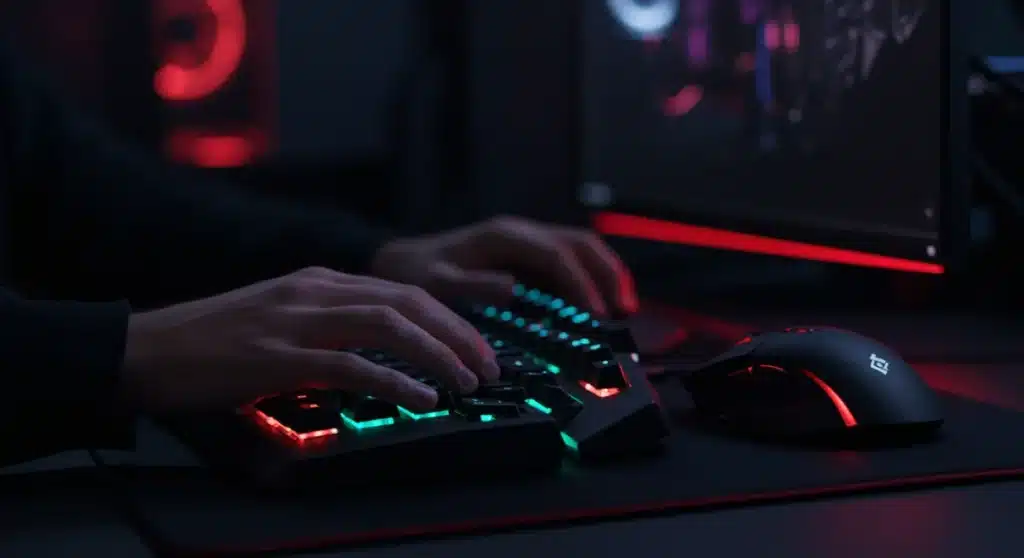
Optimizing gaming ergonomics solutions through the right keyboard and mouse is crucial for sustained comfort and performance during extended gaming sessions, preventing long-term strain and injury.
For many gamers, the thrill of an intense session or the grind of competitive play often means hours spent at the keyboard and mouse. However, this dedication can come at a cost if your setup isn’t designed for comfort and health. Understanding ergonomics in gaming: choosing the right keyboard and mouse for marathon sessions (practical solutions) is not just about comfort; it’s about preventing injuries and maintaining peak performance.
Advertisements
The importance of ergonomics in gaming
Gaming has evolved from a casual pastime into a demanding activity, often requiring precise movements and extended periods of focus. Without proper ergonomic considerations, gamers can experience a range of issues, from minor discomfort to serious repetitive strain injuries (RSIs).
Ignoring ergonomics can lead to conditions like carpal tunnel syndrome, tendinitis, and neck or back pain. These aren’t just inconvenient; they can significantly impact a gamer’s ability to play, their overall health, and even their career if they’re a professional. Investing in ergonomic gear is an investment in your gaming longevity and well-being.
Understanding common gaming injuries
Many gamers push through pain, dismissing it as part of the experience. However, persistent discomfort is a warning sign. Common issues arise from awkward wrist angles, repetitive finger movements, and static postures.
- Carpal Tunnel Syndrome: Caused by compression of the median nerve in the wrist, leading to numbness, tingling, and weakness.
- Tendonitis: Inflammation of tendons, often in the wrist, forearm, or shoulder, due to overuse.
- “Gamer’s Thumb”: A form of tendinitis affecting the thumb, common with controller use but also applicable to specific keyboard grips.
- Neck and Back Pain: Resulting from poor posture, especially when leaning forward or slumping over the desk for prolonged periods.
Addressing these issues proactively through ergonomic choices can drastically reduce their occurrence and severity. It’s about finding a balance between performance and physical well-being, ensuring that your gaming passion doesn’t become a source of chronic pain.
Ultimately, ergonomics is about fitting the environment to the user, not the other way around. For gamers, this means selecting peripherals that support natural body postures and movements, minimizing stress on joints and muscles. This foundational understanding is the first step toward a healthier gaming experience.
Choosing an ergonomic gaming keyboard
The keyboard is one of your primary interfaces with the game, and its design significantly impacts your hand and wrist health. Traditional flat keyboards often force wrists into an unnatural extended position, leading to strain over time. Ergonomic keyboards aim to correct this by promoting a more neutral posture.
When selecting an ergonomic gaming keyboard, it’s essential to consider several design aspects beyond just the aesthetics or switch type. The goal is to reduce deviation and extension of the wrists, allowing your hands to rest in a more natural, relaxed position.
Split and angled designs
One of the most effective ergonomic keyboard designs is the split keyboard. These keyboards separate the keys into two halves, often allowing for adjustable angles and tenting. This design enables your hands to align with your forearms, reducing ulnar deviation (bending your wrist sideways).
- Split Keyboards: Allow users to position each half independently, promoting a straight wrist alignment.
- Tented Keyboards: Elevate the center of the keyboard, reducing pronation (twisting of the forearm) and keeping wrists in a more neutral position.
- Curved Keyboards: Offer a gentle curve to the key layout, mimicking the natural arc of the fingers and reducing key reach.
Many ergonomic gaming keyboards also incorporate integrated palm rests. These rests provide support for your hands, preventing your wrists from resting on the hard edge of your desk. A good palm rest should be soft enough to be comfortable but firm enough to provide adequate support, reducing pressure points.
The key switch type also plays a role in comfort. While not strictly ergonomic, lighter actuation force switches can reduce finger fatigue during rapid, repetitive presses. Mechanical switches offer tactile feedback, which some gamers find more comfortable and precise, potentially leading to fewer missed keystrokes and less stress from over-pressing.
Ultimately, the best ergonomic keyboard is a personal choice, and what works for one gamer might not work for another. It often requires trying out different designs to find the one that best supports your unique hand anatomy and gaming style.
Selecting an ergonomic gaming mouse
Just like keyboards, mice are a critical component of a gaming setup, and their design can profoundly affect wrist and arm health. A standard mouse often forces the wrist into an unnatural pronated position, leading to strain over extended use. Ergonomic gaming mice are designed to counteract this, promoting a more natural hand and wrist posture.
The primary goal of an ergonomic mouse is to minimize muscle tension and joint stress. This is achieved by allowing the hand to rest in a more neutral, handshake-like position, rather than twisted flat against the desk.
Vertical and angled mice
Vertical mice are a popular ergonomic solution, designed to keep your hand in a neutral, handshake position, which significantly reduces forearm pronation. This design helps align your wrist and forearm in a natural way, alleviating pressure on the carpal tunnel.
- Vertical Mice: Orient the hand vertically, like a handshake, reducing forearm twist.
- Trackball Mice: Keep the hand stationary, reducing large arm movements and wrist strain, though they have a learning curve for gaming.
- Angled/Slanted Mice: Offer a compromise between traditional and vertical designs, providing a slight angle to improve wrist posture.
Beyond the form factor, the size and weight of a gaming mouse are also crucial. A mouse that is too large or too small for your hand can lead to cramping or excessive gripping, while a mouse that is too heavy can cause fatigue during rapid movements. Many modern gaming mice offer adjustable weights, allowing users to customize the feel.
The placement of buttons and the scroll wheel also contribute to ergonomic comfort. Buttons should be easily accessible without requiring awkward finger stretches or excessive force. Some ergonomic mice feature programmable buttons placed strategically to reduce repetitive finger movements for common in-game actions.
Ultimately, the right ergonomic mouse should feel like an extension of your hand, allowing for smooth, precise movements without any discomfort. Experimentation with different shapes, sizes, and orientations is key to finding your ideal gaming companion.
Adjusting your gaming environment
Beyond the peripherals themselves, the entire gaming environment plays a crucial role in maintaining ergonomic health. Even the best ergonomic keyboard and mouse won’t fully protect you if your desk height, chair, and monitor placement are incorrect. A holistic approach to your setup is essential for long-term comfort and injury prevention.
Optimizing your workstation involves a few key adjustments that can make a significant difference in how your body endures marathon gaming sessions.
Desk and chair setup
Your desk and chair are the foundation of your ergonomic setup. Your chair should provide good lumbar support and allow your feet to be flat on the floor or on a footrest. Your desk height should allow your elbows to be at a 90-100-degree angle when your hands are on the keyboard and mouse, keeping your shoulders relaxed.
- Chair Height: Adjust so your feet are flat on the floor and knees are at a 90-degree angle.
- Armrests: Should support your forearms, helping to keep your shoulders relaxed.
- Desk Height: Ensure elbows are at a comfortable 90-100-degree angle when typing/mousing.
Monitor placement is also vital. The top of your monitor screen should be at or slightly below eye level, and it should be positioned about an arm’s length away. This helps prevent neck strain from looking up or down too much. If you use multiple monitors, ensure they are positioned to minimize head turning.
Lighting in your gaming area can also impact comfort. Glare on your screen can lead to eye strain, which can manifest as headaches or neck tension. Position your monitor to avoid direct light sources, or use an anti-glare screen protector.
Taking regular breaks is perhaps one of the simplest yet most effective ergonomic strategies. Even short breaks to stretch, stand up, and move around can significantly reduce the cumulative strain from prolonged static postures. Integrate these micro-breaks into your gaming routine to refresh your body and mind.
Practical solutions for existing setups
Not everyone can immediately overhaul their entire gaming setup with brand-new ergonomic peripherals. Fortunately, there are several practical and often affordable solutions you can implement to improve the ergonomics of your current keyboard and mouse, making your existing gear more comfortable and safer for extended use.
These solutions focus on modifying your interaction with your current equipment to promote better posture and reduce strain, without requiring a complete replacement of your valued gaming gear.
Wrist rests and mouse pads
One of the most straightforward additions is a wrist rest for both your keyboard and mouse. A good wrist rest helps maintain a neutral wrist position, preventing extension or flexion that can lead to carpal tunnel syndrome. Look for gel or memory foam rests that conform to your wrists without creating pressure points.
- Keyboard Wrist Rests: Provide support to keep wrists straight while typing.
- Mouse Wrist Rests: Elevate the wrist to match the mouse height, maintaining a neutral angle.
- Ergonomic Mouse Pads: Often include integrated wrist support and a smooth surface for effortless mouse movement.
Adjusting your mouse sensitivity (DPI) can also have a significant ergonomic impact. A higher DPI setting means you need to move your mouse less to cover the same distance on screen. This reduces the amount of arm and wrist movement required, decreasing strain. Experiment to find a sensitivity that feels comfortable and maintains your in-game precision.
Regular stretching exercises for your hands, wrists, and forearms are crucial. Simple stretches performed every hour or two can improve blood circulation, reduce muscle stiffness, and increase flexibility. These include wrist circles, finger stretches, and gentle forearm stretches.
Finally, consider the positioning of your peripherals. Ensure your keyboard and mouse are close enough to your body to avoid reaching, and that there’s ample space on your desk for comfortable movement. If your keyboard has adjustable feet, use them to create a slight negative tilt, which can further promote a neutral wrist posture.
Integrating breaks and stretches into your routine
Even with the most advanced ergonomic equipment and a perfectly adjusted setup, prolonged static postures and repetitive movements can still lead to discomfort and potential injury. This is where integrating regular breaks and targeted stretches becomes an indispensable part of a truly ergonomic gaming strategy.
Think of breaks and stretches not as interruptions, but as essential maintenance for your body, allowing you to sustain performance and enjoyment over the long term.
Scheduled micro-breaks
The concept of micro-breaks is simple: take short, frequent pauses from intense gaming. Even a 5-minute break every hour can make a significant difference. During these breaks, stand up, walk around, or perform some light stretches. This helps to break up static postures, increase blood flow, and give your eyes a rest from the screen.
- Every 30-60 minutes: Take a 1-2 minute break to stretch.
- Every 1-2 hours: Take a 5-10 minute break to stand, walk, and rest your eyes.
- Use Reminders: Set a timer or use software that reminds you to take breaks.
Specific stretches for gamers target the muscles and joints most affected by keyboard and mouse use. These include wrist flexor and extensor stretches, finger stretches, shoulder shrugs, and neck rotations. Focus on gentle movements, holding each stretch for 15-30 seconds without bouncing.
Hydration and nutrition also play a role in muscle health and recovery. Dehydration can exacerbate muscle fatigue and cramping, while a balanced diet provides the necessary nutrients for tissue repair. Keep a water bottle within reach and opt for healthy snacks instead of processed foods during gaming sessions.
By consciously building these habits into your gaming routine, you’re not just preventing injuries; you’re actively promoting a healthier, more sustainable gaming lifestyle. It’s about respecting your body’s limits while still pursuing your passion with intensity and focus.
Future trends in gaming ergonomics
The field of ergonomics is continually evolving, and gaming peripherals are no exception. As competitive gaming grows and awareness of health issues increases, manufacturers are investing more in research and development to create even more advanced and personalized ergonomic solutions. The future of gaming ergonomics promises even greater comfort, customization, and integration with health monitoring.
Expect to see innovations that not only prevent injury but actively enhance a gamer’s physical well-being and performance.
Personalized and adaptive peripherals
One major trend is the move towards highly personalized peripherals. Imagine keyboards and mice that adapt to your unique hand shape, grip style, and even biometric data. This could involve modular designs, 3D-printed components, or AI-driven adjustments based on real-time usage.
- Biometric Feedback: Peripherals that monitor grip pressure, heart rate, or skin temperature to suggest ergonomic adjustments.
- Modular Designs: Keyboards and mice with interchangeable parts to customize shape, size, and button placement.
- Adaptive Software: Programs that learn your gaming style and suggest optimal DPI settings, keybinds, or break reminders.
Haptic feedback, already present in some controllers, could see broader application in keyboards and mice. Beyond simple vibrations, advanced haptics could provide tactile cues that reduce the need for visual confirmation, potentially lowering eye strain and improving response times without increasing physical effort. This could include subtle force feedback on keys or mice to indicate successful actions or critical in-game events.
Integration with health and wellness apps is also a promising area. Imagine your gaming peripherals syncing with fitness trackers to provide a holistic view of your physical activity, sleep patterns, and gaming-related strain. This data could then be used to offer personalized recommendations for breaks, stretches, and even dietary advice.
Ultimately, the future of gaming ergonomics is about creating a seamless, intuitive, and health-conscious experience. As technology advances, the line between performance enhancement and physical well-being will blur, allowing gamers to push their limits safely and comfortably.
| Key Ergonomic Aspect | Brief Description for Gamers |
|---|---|
| Ergonomic Keyboard | Split or angled designs with wrist rests reduce wrist extension and ulnar deviation. |
| Ergonomic Mouse | Vertical or angled mice promote a neutral, handshake-like grip, reducing forearm pronation. |
| Workstation Setup | Proper chair/desk height, monitor placement, and lighting prevent overall body strain. |
| Breaks & Stretches | Regular micro-breaks and targeted stretches are crucial to combat static posture and repetitive movements. |
Frequently asked questions about gaming ergonomics
An ergonomic gaming setup immediately reduces physical discomfort, such as wrist pain, finger stiffness, and neck tension. This leads to improved focus and endurance during long gaming sessions, allowing you to maintain peak performance without being distracted by aches and pains.
It’s highly recommended to take a short micro-break (1-2 minutes) every 30-60 minutes to stretch and move. For longer breaks, step away from your setup for 5-10 minutes every 1-2 hours. These pauses help prevent cumulative strain and improve circulation.
Vertical mice are increasingly viable for gaming. While they might require an adjustment period, many gamers find that the neutral wrist position significantly reduces forearm strain. Modern vertical gaming mice offer high DPI and programmable buttons, making them suitable for many game genres.
Wrist rests can help prevent carpal tunnel syndrome by encouraging a neutral wrist posture, reducing pressure on the median nerve. However, they should be used to support your hand during breaks, not as a pivot point while actively typing or mousing, which could increase pressure.
The most important ergonomic adjustment for a gaming chair is ensuring proper lumbar support and correct seat height. Your lower back should be supported, and your feet should be flat on the floor with your knees at a 90-degree angle. This maintains spinal alignment and reduces back strain.
Conclusion
Embracing ergonomics in gaming is no longer a luxury but a necessity for any serious player. By making informed choices about keyboards and mice, optimizing your physical setup, and integrating regular breaks and stretches, you can create a gaming environment that supports both your performance and your long-term health. Prioritizing these practical solutions ensures that your passion for gaming remains a source of enjoyment, free from the discomfort and potential injuries that often accompany extended play.