Custom Water Cooling Loops: Advanced Builder’s Guide 2026
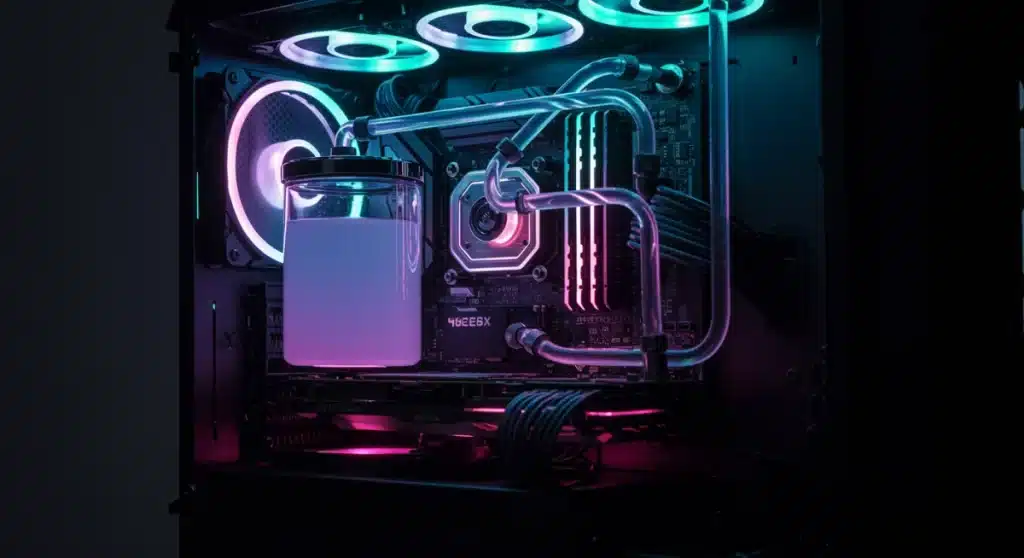
Building custom water cooling loops in 2026 offers advanced PC enthusiasts unparalleled thermal management and aesthetic customization, demanding meticulous planning and precise execution for optimal performance and system longevity.
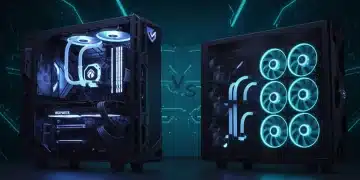
Are you ready to elevate your PC build to the next level? The realm of custom water cooling loops in 2026 continues to evolve, offering advanced builders not just superior thermal performance but also an unparalleled opportunity for aesthetic expression. This comprehensive guide is tailored for those who seek to push boundaries, providing practical solutions and insights into designing, installing, and maintaining a cutting-edge custom loop.
Advertisements
Understanding the Core Components of a Custom Loop
Embarking on a custom water cooling journey requires a fundamental understanding of its essential components. Each part plays a critical role in the overall efficiency and reliability of your system. Knowing these elements is the first step towards a successful build.
The synergy between these components dictates how effectively heat is dissipated from your CPU and GPU, ensuring stable performance even under heavy loads. Choosing the right parts is crucial for both functionality and the visual appeal of your build.
Water Blocks: The Heart of Heat Transfer
Water blocks are the direct interface between your hot components and the cooling fluid. They are designed to transfer heat efficiently from your CPU and GPU into the coolant.
- CPU Blocks: Specifically engineered for various CPU sockets, focusing on micro-fin arrays for maximum surface area contact.
- GPU Blocks: Often full-cover designs, cooling not just the GPU die but also VRAM and VRMs for comprehensive thermal management.
- Chipset Blocks: Less common but available for motherboards with high-power chipsets that benefit from active cooling.
Radiators: Dissipating the Heat
Radiators are responsible for transferring heat from the coolant to the ambient air. Their size, thickness, and fin density directly impact cooling performance.
Selecting the appropriate radiator size is vital, often dictated by your case’s capacity and the thermal demands of your components. Larger radiators generally offer better cooling potential but require more space.
Pumps and Reservoirs: Driving the Flow
The pump circulates the coolant throughout the loop, while the reservoir holds excess coolant and aids in bleeding air from the system. Often, these two components are integrated into a single unit for a more compact design.
- Pump Power: Measured in liters per hour (LPH) or gallons per hour (GPH), indicating the flow rate.
- Reservoir Volume: Larger reservoirs simplify filling and bleeding, contributing to a cleaner aesthetic.
- Pump Noise: A critical consideration for quiet builds; D5 and DDC pumps are popular choices with varying noise profiles.
Understanding these core components allows advanced builders to make informed decisions, ensuring their custom loop not only performs exceptionally but also integrates seamlessly into their system design.
Planning Your Custom Water Cooling Loop: Design and Layout
The success of a custom water cooling loop hinges significantly on meticulous planning and thoughtful design. Before purchasing a single component, a comprehensive layout strategy is essential. This stage involves visualizing the complete system, considering aesthetic goals, and ensuring compatibility.
A well-planned loop minimizes potential issues during installation and maintenance, ultimately saving time and frustration. It also allows for optimizing performance and achieving a visually stunning build.
Component Compatibility and Sizing
Ensuring all components are compatible with each other and fit within your PC case is paramount. This includes checking radiator sizes, pump/reservoir combo dimensions, and water block fitment for your specific CPU and GPU models.
Many manufacturers provide detailed compatibility lists, and online communities are excellent resources for verifying fitment. Don’t overlook the clearance for fans on radiators or the routing of tubing, especially in smaller cases.
Tubing Selection: Hardline vs. Soft Tubing
The choice between hardline and soft tubing significantly impacts both the build process and the final aesthetic. Each has its own set of advantages and challenges.
- Soft Tubing: More forgiving and easier to install, ideal for beginners. It offers flexibility in routing but may not provide the same clean aesthetic as hardline.
- Hardline Tubing: Offers a professional, clean look with precise bends. It requires specialized tools for bending and cutting, demanding more skill and patience.
- Material: PETG, Acrylic, and Borosilicate Glass are common hardline materials, each with different properties regarding heat resistance and clarity.
Flow Path Optimization and Loop Order
While the exact order of components in a custom loop has minimal impact on thermal performance, a logical flow path can simplify bleeding air and enhance aesthetics. A common sequence might be reservoir -> pump -> GPU -> CPU -> radiator -> back to reservoir.
Consider the shortest, cleanest runs for tubing to minimize bends and potential points of failure. Planning your flow path also helps in estimating the number of fittings required.
Thorough planning in the design and layout phase is the cornerstone of a successful custom water cooling loop. It sets the foundation for a high-performing, reliable, and aesthetically pleasing system.
Essential Tools and Preparation for Installation
Once your design is finalized and components are selected, gathering the right tools and preparing your workspace are crucial steps before diving into the installation of your custom water cooling loops. Proper preparation ensures a smoother, more efficient, and ultimately safer build process.
Having all necessary items at hand prevents interruptions and reduces the risk of damaging delicate components. This phase is about setting yourself up for success.
Required Tools for Soft Tubing Builds
Soft tubing builds are generally more forgiving, but still require a specific set of tools to ensure clean cuts and secure connections.
- Tubing Cutter: Essential for making straight, clean cuts on soft tubing, preventing kinks and ensuring a snug fit with fittings.
- Hose Clamps or Zip Ties: For added security on barb fittings, though compression fittings negate this need.
- Anti-Static Wrist Strap: To protect sensitive electronic components from electrostatic discharge.
- Clean Microfiber Cloths: For cleaning components and wiping up any coolant spills.
Specialized Tools for Hardline Tubing Builds
Hardline tubing demands a more specialized toolkit due to the precision required for bending and cutting rigid materials.
- Heat Gun: For precisely heating and bending PETG or acrylic tubing.
- Silicon Bending Insert: Prevents tubing from collapsing during the bending process.
- Hardline Cutter: A specialized tool for clean, straight cuts on rigid tubing.
- Chamfering Tool: Essential for deburring the edges of cut hardline tubing, preventing O-ring damage in fittings.
- Bending Jigs/Templates: Aids in achieving consistent and accurate bends.
Workspace Preparation and Safety
A clean, well-lit, and organized workspace is paramount. Clear any clutter and ensure you have ample room to work comfortably.
Safety is also a key consideration. Always wear appropriate eye protection when cutting or bending tubing. Have paper towels or absorbent cloths readily available for any spills. It’s also wise to test your loop for leaks outside of your PC case if possible, or at least with the system powered off and unplugged.
Investing in the right tools and dedicating time to prepare your environment will significantly streamline the installation process and contribute to the longevity and performance of your custom loop.
The Installation Process: A Step-by-Step Walkthrough
With all components and tools ready, the installation phase begins. This is where your meticulous planning comes to life. Approaching the installation systematically will help prevent errors and ensure a successful, leak-free custom water cooling loop.
Each step builds upon the last, so patience and attention to detail are key during this critical stage of building custom water cooling loops.
Step 1: Installing Water Blocks
Begin by carefully installing the CPU and GPU water blocks. This process typically involves removing existing air coolers, cleaning the component surfaces, applying thermal paste, and then mounting the water blocks according to the manufacturer’s instructions.
Ensure an even spread of thermal paste and proper mounting pressure to maximize heat transfer. Refer to specific product manuals for precise torque specifications where applicable.
Step 2: Mounting Radiators and Pumps/Reservoirs
Next, mount your radiators in their designated locations within the PC case, ensuring proper airflow direction for fans. Install the pump and reservoir, or pump/res combo, securely. Consider vibration dampening if possible to reduce noise.
Think about accessibility for filling and draining the loop when positioning the reservoir. This foresight will simplify future maintenance.
Step 3: Tubing and Fittings Installation
This is arguably the most visually impactful part of the build. Cut and bend your chosen tubing (soft or hardline) to create the desired flow path. Secure all connections with appropriate fittings.
- Soft Tubing: Push tubing onto barb fittings and secure with clamps, or use compression fittings by pushing tubing in and tightening the collar.
- Hardline Tubing: After cutting and chamfering, heat and bend the tubing, then insert into compression fittings, ensuring O-rings are seated correctly.
- Leak Testing Preparation: Double-check all fittings are tightened appropriately, but avoid overtightening which can damage O-rings.
Step 4: Filling and Leak Testing
Before powering on your PC, it’s critical to fill the loop with coolant and perform a thorough leak test. Use a dedicated PSU jumper or a spare PSU to power only the pump, bypassing the rest of the system.
Fill the reservoir slowly, allowing air bubbles to escape. Run the pump for at least 12-24 hours, carefully inspecting all fittings and connections for any signs of leakage. Tilt the case gently to help dislodge trapped air bubbles.
The installation process requires precision and care. Following these steps diligently will culminate in a functional and visually impressive custom water cooling loop.
Coolant Selection and Maintenance for Longevity
The choice of coolant and a consistent maintenance schedule are pivotal for the longevity and optimal performance of your custom water cooling loops. Neglecting these aspects can lead to issues such as corrosion, blockages, and reduced cooling efficiency over time.
Investing time in proper coolant selection and adherence to maintenance practices will protect your hardware and keep your system running smoothly for years.
Coolant Types and Considerations
Coolants are not just for transferring heat; they also contain additives to prevent biological growth, corrosion, and galvanic action between mixed metals.
- Clear Coolants: Generally recommended for new builders or those prioritizing longevity, as they contain fewer dyes that can stain components.
- Colored Coolants: Offer aesthetic appeal but can be prone to fallout, staining, and clogging micro-fins if not properly maintained or if cheap dyes are used.
- Biocides and Corrosion Inhibitors: Essential components of any good coolant, protecting your loop from algae, bacteria, and metal degradation.
- Distilled Water: Can be used with separate biocide and corrosion inhibitor additives for a cost-effective solution, though pre-mixed coolants offer convenience.
Routine Maintenance Schedule
A regular maintenance schedule is crucial to prevent issues before they arise. This includes checking coolant levels, inspecting tubing, and eventually flushing the system.
Aim to inspect your loop every 3-6 months for signs of discoloration, particle buildup, or reduced flow. A full flush and refill is typically recommended every 6-12 months, depending on the coolant type and usage.
Flushing and Refilling the Loop
When performing a full maintenance cycle, drain the old coolant completely. Rinse the loop with distilled water (and potentially a dedicated cleaning solution) to remove any residue before refilling with fresh coolant.
Ensure all components are thoroughly flushed. Use a dedicated drain port if your loop was designed with one, making the process much cleaner and simpler. After refilling, perform another brief leak test to ensure all connections are secure.
By carefully selecting your coolant and adhering to a consistent maintenance schedule, you can significantly extend the life of your custom water cooling loop and ensure your high-performance PC remains in top condition.
Advanced Techniques and Customization for Enthusiasts
For advanced builders, merely achieving thermal efficiency with custom water cooling loops is often just the starting point. The true artistry lies in pushing the boundaries of aesthetics and performance through advanced techniques and extensive customization.
These methods allow for unique, personalized builds that stand out, reflecting the builder’s vision and technical prowess.
Beyond CPU and GPU: Cooling Other Components
While CPU and GPU cooling are standard, enthusiasts can extend water cooling to other heat-generating components for a truly comprehensive thermal solution. This might involve cooling VRMs, chipsets, or even M.2 SSDs.
Dedicated water blocks for these components are available, enabling a more uniform thermal profile across the entire motherboard and potentially allowing for higher overclocks on these sub-systems. This level of detail signifies a truly advanced build.
RGB Lighting and Aesthetic Integration
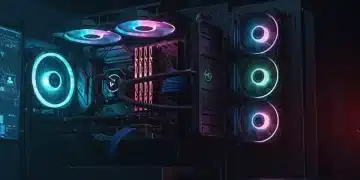
Modern custom loops are often a canvas for elaborate RGB lighting schemes. Integrating Addressable RGB (aRGB) components allows for dynamic and synchronized lighting effects across water blocks, reservoirs, fans, and even the coolant itself.
- RGB Water Blocks: Many blocks now come with integrated RGB, offering vibrant illumination of the coolant flow.
- RGB Fans: Radiator fans with RGB lighting enhance the visual appeal while providing necessary airflow.
- Light Strips: Strategically placed LED strips can highlight specific areas of the loop or case interior.
- Custom Sleeved Cables: While not directly water cooling, color-matched sleeved cables complement the loop’s aesthetic, creating a cohesive look.
Parallel vs. Serial Loop Configurations
Traditionally, most custom loops are built in a serial configuration, where coolant flows from one component to the next in sequence. However, advanced builders sometimes experiment with parallel configurations.
Parallel loops can offer a unique visual appeal and potentially slightly lower restriction, but they require careful balancing to ensure adequate flow to all components. This is a technique best attempted by experienced builders who understand the nuances of fluid dynamics within a PC.
Custom Fabrication and Modding
The pinnacle of customization involves custom fabrication and modding. This can range from designing and 3D printing custom reservoir mounts to crafting bespoke case modifications to perfectly integrate the water cooling system.
Whether it’s creating a unique distro plate or designing custom tubing runs that defy conventional layouts, custom fabrication allows for truly one-of-a-kind builds that showcase innovation and personal flair.
Embracing these advanced techniques transforms a functional water-cooled PC into a personalized work of art, pushing the boundaries of both performance and aesthetics.
Troubleshooting Common Issues and Best Practices
Even the most meticulously planned custom water cooling loops can encounter issues. Knowing how to troubleshoot common problems and adhering to best practices can save significant time and prevent potential damage to your high-value components.
Proactive measures and a systematic approach to problem-solving are essential for maintaining a healthy and efficient water-cooled system.
Identifying and Resolving Leaks
Leaks are perhaps the most feared issue in water cooling. Early detection and prompt action are crucial.
- Visual Inspection: Regularly check all fittings, tubing, and component connections for any signs of moisture or coolant residue.
- Air Pressure Tester: A dedicated air pressure leak tester can identify leaks before any coolant is introduced, offering peace of mind.
- Dye Test: Adding a small amount of UV-reactive dye to your coolant can help pinpoint elusive leaks under a UV light.
- Immediate Action: If a leak is found, immediately power off and unplug the PC. Disassemble the affected area, clean thoroughly, and replace or re-secure the faulty component/fitting.
Addressing Air Bubbles and Gurgling Noises
Trapped air bubbles are common after filling a new loop and can cause gurgling noises or reduced flow. Patience is key here.
Run the pump at full speed, gently tilt the PC case in various directions, and leave the reservoir cap slightly loose (if safe) to allow air to escape. This process can take several hours or even a day to completely bleed the system.
Maintaining Optimal Coolant Flow and Temperature
Monitoring coolant flow and temperature is vital for ensuring peak performance. Tools and software can help keep track of these metrics.
If flow rates drop or temperatures rise unexpectedly, check for blockages in water blocks or radiators, inspect pump functionality, and ensure fans are operating correctly. A partial flush or component cleaning might be necessary.
Preventing Galvanic Corrosion and Biocide Issues
Galvanic corrosion occurs when dissimilar metals are in contact within the coolant. Always use coolants with appropriate corrosion inhibitors and avoid mixing metals like aluminum and copper in your loop.
Biocide issues, such as algae or bacterial growth, can be prevented by using coolants with effective biocides and maintaining a regular flush schedule. If growth occurs, a thorough cleaning with a dedicated loop cleaner is required.
By understanding these common issues and implementing best practices, advanced builders can ensure their custom water cooling loops remain reliable, efficient, and trouble-free for years to come.
| Key Aspect | Brief Description |
|---|---|
| Component Selection | Choose compatible water blocks, radiators, pumps, and reservoirs based on performance needs and case fitment. |
| Design & Planning | Plan tubing runs (hardline vs. soft), flow path, and overall aesthetic before installation. |
| Installation & Leak Testing | Install components, route tubing, fill with coolant, and perform a thorough 12-24 hour leak test before powering the PC. |
| Maintenance & Troubleshooting | Select proper coolant, adhere to a regular flush schedule, and learn to resolve leaks or air bubbles. |
Frequently Asked Questions About Custom Water Cooling
For advanced users, custom water cooling generally offers superior thermal performance compared to All-in-One (AIO) coolers. This is due to larger radiators, more efficient water blocks, and greater coolant volume, allowing for better heat dissipation and higher overclocking potential. AIOs are convenient, but custom loops provide ultimate control.
The biggest challenge often lies in meticulous planning and execution, especially with hardline tubing. Bending tubes precisely, ensuring all fittings are secure, and performing a thorough leak test require patience and attention to detail. Initial cost and potential for leaks are also significant considerations for new builders.
It’s generally recommended to drain, clean, and refill your custom water cooling loop every 6 to 12 months. This frequency depends on the coolant type, system usage, and environmental factors. Regular maintenance prevents coolant degradation, particle buildup, and potential clogs, ensuring optimal performance and longevity.
No, you should strictly avoid mixing different reactive metals like aluminum and copper in your custom water cooling loop. This can lead to galvanic corrosion, which degrades components and clogs the loop. Always use components made from compatible materials, typically copper, brass, and nickel-plated copper, with a suitable coolant containing corrosion inhibitors.
Neither is inherently ‘better’; the choice depends on your priorities. Hardline tubing offers a cleaner, more aesthetically precise look but is more challenging to install, requiring specialized tools and skills. Soft tubing is more flexible, easier to work with, and more forgiving for beginners, though it may not achieve the same visual impact as a well-executed hardline build.
Conclusion
Embarking on the journey of building custom water cooling loops in 2026 is a rewarding endeavor for advanced PC enthusiasts. It provides not only a significant boost in thermal performance for high-end components but also an unparalleled platform for aesthetic customization. From the initial meticulous planning and component selection to the intricate installation of tubing and the ongoing commitment to maintenance, each step contributes to a system that is both a powerhouse of computing and a work of art. By adhering to best practices, understanding the nuances of coolant chemistry, and fearlessly troubleshooting, builders can create a truly bespoke and enduring machine that stands out in the ever-evolving landscape of PC hardware.