Gaming PC Noise Reduction 2026: Acoustic Performance
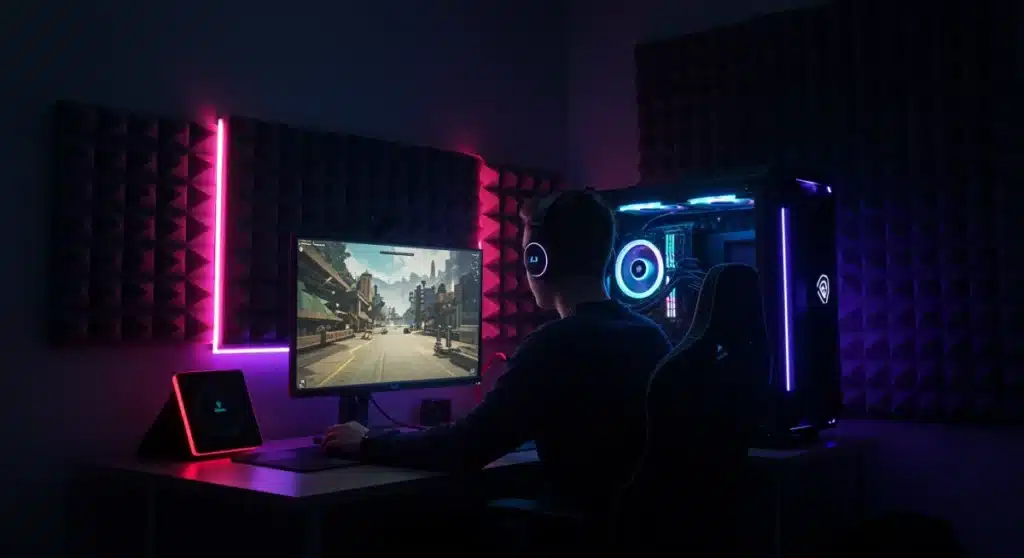
Achieving optimal acoustic performance in gaming PCs by 2026 involves a holistic approach, integrating advanced silent components, innovative cooling technologies, and strategic build practices to significantly minimize noise pollution for an uncompromised gaming experience.
Are you tired of your gaming rig sounding like a jet engine during intense gameplay? The pursuit of a truly immersive gaming experience often clashes with the reality of noisy components. By 2026, understanding and implementing effective strategies for gaming PC noise reduction will be paramount for any serious gamer.
Advertisements
Understanding the Sources of PC Noise
Before we can effectively reduce noise, we must first identify its origins. A gaming PC, with its array of high-performance components, is a symphony of potential sound emitters. From whirring fans to coil whine, each element contributes to the overall acoustic profile of your system. Pinpointing these sources is the critical first step toward a quieter setup.
The primary culprits typically include cooling fans – for the CPU, GPU, and case – hard drives, power supply units, and sometimes even the subtle hum of electrical components. As technology advances, so do the demands on these parts, often leading to increased heat and, consequently, increased fan speeds and noise. Understanding the unique sound signature of each component allows for more targeted and efficient noise reduction efforts.
Fan Noise: The Dominant Culprit
Fans are arguably the most significant source of noise in a gaming PC. Their speed directly correlates with both cooling efficiency and decibel output. Optimizing fan curves and choosing high-quality, silent fans are crucial.
- Case Fans: Responsible for overall airflow and exhausting hot air. Larger fans generally move more air at lower RPMs, reducing noise.
- CPU Cooler Fans: Directly cool the processor. High-performance air coolers often use larger fans, while AIO liquid coolers rely on radiator fans.
- GPU Fans: Integrated into the graphics card, these can be very noisy under heavy load, especially in high-end cards.
Beyond fans, other components such as traditional hard disk drives (HDDs) produce mechanical noise, while power supply units (PSUs) can generate fan noise and sometimes even coil whine – a high-pitched electronic hum. Addressing these diverse noise sources requires a multi-faceted approach, balancing performance with silent operation.
In summary, identifying whether the noise originates from air movement, mechanical vibrations, or electrical interference is fundamental. Each source demands a specific set of solutions, ranging from component upgrades to strategic case design and fan control, all contributing to a quieter and more enjoyable gaming environment.
Advanced Cooling Solutions for a Quieter Experience
Cooling is indispensable for high-performance gaming, but traditional methods often result in significant noise. The future of gaming PC cooling in 2026 is moving towards more efficient and quieter solutions that don’t compromise thermal performance. These advancements are key to achieving optimal acoustic performance without sacrificing frame rates.
Liquid cooling, particularly All-in-One (AIO) solutions and custom loops, has become increasingly popular. These systems move heat away from critical components more effectively than air coolers, often allowing for lower fan speeds or fewer fans overall. The pumps themselves can generate some noise, but modern designs are increasingly quiet.
The Rise of Silent Liquid Cooling
Liquid cooling offers superior heat dissipation, making it an excellent choice for noise reduction. By moving the heat to larger radiators, fans can operate at lower RPMs.
- AIO Liquid Coolers: Pre-sealed and easy to install, they offer significant cooling improvements over stock air coolers with less noise.
- Custom Liquid Loops: Provide the ultimate cooling performance and aesthetic customization, allowing for precise control over fan and pump speeds.
- Passive Cooling: While less common for high-end gaming, advancements in heat pipe technology and large surface area heatsinks are making fanless or semi-passive solutions more viable for certain components.
Beyond liquid cooling, innovative air cooling designs are also contributing to quieter systems. Manufacturers are developing heatsinks with more efficient fin designs and integrating larger, slower-spinning fans that move more air with less audible turbulence. The material science behind these heatsinks is also improving, leading to better heat transfer capabilities.
Furthermore, intelligent fan control systems are becoming standard. These systems use advanced algorithms to dynamically adjust fan speeds based on real-time temperature readings, ensuring that fans only spin as fast as necessary. This prevents unnecessary noise during less demanding tasks, contributing significantly to a quieter overall experience. The goal is to maintain optimal temperatures while keeping sound levels to a minimum, ensuring that your focus remains on the game, not the hum of your PC.
Selecting Quiet Components: Beyond Just Fans
While fans are often the loudest culprits, a truly quiet gaming PC in 2026 requires a holistic approach to component selection. Every part of your build contributes to the overall acoustic profile, and making informed choices can drastically reduce noise pollution. This goes beyond just picking a good CPU cooler and extends to every aspect of your system.
Solid State Drives (SSDs) are a prime example of a silent upgrade. Unlike traditional Hard Disk Drives (HDDs) which have spinning platters and moving read/write heads, SSDs operate electronically, producing no mechanical noise whatsoever. Upgrading to an NVMe SSD for your operating system and frequently played games can eliminate a significant source of low-frequency hum and vibration.
Power Supply Units (PSUs) with Zero RPM Modes
Modern Power Supply Units are increasingly incorporating features designed for quiet operation. Look for models with fanless or semi-passive modes.
- Zero RPM Mode: The PSU fan remains off until a certain load or temperature threshold is reached, ensuring silent operation during light tasks.
- High-Efficiency PSUs: More efficient PSUs generate less waste heat, allowing their fans to spin slower or remain off more often.
- Fluid Dynamic Bearing (FDB) Fans: PSUs with FDB fans offer quieter and more durable operation compared to sleeve bearing fans.
Graphics cards, especially high-end models, can also be major noise contributors. When selecting a GPU, consider models with larger heatsinks and multiple fans that can operate at lower RPMs. Many modern GPUs also feature a ‘zero RPM’ mode, where fans only spin up when gaming or under heavy load, remaining silent during desktop use. Manufacturers like ASUS (with their Strix series) and MSI (with their Gaming X Trio) are known for their quieter cooling solutions.
Even smaller components like motherboard chipsets can sometimes have tiny, high-pitched fans. Opting for motherboards with passive chipset cooling or larger heatsinks can eliminate these minor but annoying noise sources. By carefully selecting each component with acoustic performance in mind, you can build a system that is not only powerful but also remarkably quiet, enhancing your overall gaming enjoyment.
Case Design and Acoustic Dampening Techniques
The PC case plays a crucial role in managing and containing noise. By 2026, case manufacturers are focusing more on acoustic engineering, integrating sound-dampening materials and intelligent airflow designs to create quieter environments for internal components. A well-designed case can significantly reduce the perceived noise level of your gaming PC, even with high-performance hardware.
Many modern cases feature sound-dampening panels made from materials like bitumen, foam, or rubberized mats. These materials absorb sound waves and vibrations, preventing them from escaping the case. Placing these materials strategically on side panels, front panels, and even the top panel can make a noticeable difference in overall system quietness.
Optimizing Airflow for Quiet Operation
Efficient airflow is key to keeping components cool without excessive fan noise. A case with good airflow reduces the need for fans to spin at high RPMs.
- Strategic Fan Placement: Ensure a clear path for air intake and exhaust, avoiding obstructions. Positive air pressure (more intake than exhaust) can help keep dust out.
- Vibration Isolation: Use rubber grommets or silicone mounts for fans and hard drives to prevent vibrations from transferring to the case chassis.
- Cable Management: Tidy cables improve airflow and prevent them from interfering with fan blades, which can cause rattling noises.
Beyond dampening, the physical design of the case itself matters. Cases with solid front panels and side panels, rather than mesh, tend to block more sound. However, this must be balanced with adequate ventilation to prevent heat buildup. Some cases feature cleverly designed vents that allow airflow while redirecting or muffling sound.
Another consideration is the case’s feet. Rubberized feet can help decouple the case from the desk or floor, preventing vibrations from resonating through surfaces. This is a subtle but effective way to minimize low-frequency hums. Ultimately, a case that combines effective sound dampening with optimized airflow and vibration isolation will provide the best foundation for a truly quiet gaming PC, allowing you to focus on the game without auditory distractions.
Software Control and Fan Curve Optimization
Even with the quietest hardware, software control is critical for fine-tuning your gaming PC’s acoustic performance. Modern motherboards and graphics cards offer extensive software utilities that allow users to customize fan curves, ensuring that components only spin as fast as necessary, thereby minimizing unnecessary noise. This level of granular control is a powerful tool in the quest for a silent gaming experience.
Most motherboard manufacturers provide proprietary software (e.g., ASUS AI Suite, MSI Dragon Center, Gigabyte App Center) that allows you to monitor temperatures and adjust fan speeds for CPU, case, and even some M.2 SSD fans. These tools often include pre-set profiles like ‘silent,’ ‘standard,’ and ‘performance,’ but the real magic happens when you create custom fan curves.
Crafting Custom Fan Curves for Silence and Performance
Custom fan curves allow you to dictate fan speed based on component temperature, striking a balance between cooling and quietness.
- CPU Fan Curves: Set lower RPMs at idle and low temperatures, gradually increasing as the CPU heats up during gaming.
- GPU Fan Curves: Use software like MSI Afterburner or EVGA Precision X1 to create custom curves for your graphics card, often allowing for a ‘zero RPM’ mode at idle.
- Case Fan Curves: Link case fan speeds to either CPU or GPU temperatures, or a combination, to ensure adequate airflow when needed.
Beyond fan control, some software utilities offer acoustic profiles for specific games or applications. This can mean automatically switching to a quieter profile when browsing the web or watching a movie, and then ramping up cooling when a demanding game is launched. The goal is to have the PC be as quiet as possible for the task at hand.
Regular monitoring of component temperatures is also crucial. If you notice your GPU or CPU running hotter than expected, it might indicate a need to adjust your fan curves slightly or investigate other cooling issues. The beauty of software control is its flexibility, allowing you to continually optimize your system’s acoustic performance as your hardware ages or your usage patterns change. This dynamic approach ensures your gaming PC remains quiet and cool for years to come.
Future Trends in Acoustic Performance (2026 and Beyond)
As we look toward 2026 and beyond, the drive for quieter gaming PCs is not just about incremental improvements but also about revolutionary shifts in technology. The focus will be on integrating silence directly into the core design of components, rather than merely dampening existing noise. This forward-thinking approach promises a future where high-performance gaming and absolute silence are no longer mutually exclusive.
One significant area of development is the continued miniaturization and efficiency of components. As processors and graphics cards become more power-efficient, they generate less heat, reducing the need for aggressive cooling. This trend will allow for smaller, more discreet cooling solutions or even a greater reliance on passive cooling for less demanding systems.
Emerging Technologies for Silent Operation
Several innovations are on the horizon that could redefine acoustic performance in gaming PCs.
- Solid-State Cooling: Technologies like thermoelectric coolers (TEC) or even magnetic refrigeration could offer cooling without moving parts, eliminating fan noise entirely.
- Advanced Materials: Research into new heat-dissipating materials with higher thermal conductivity could lead to entirely new heatsink designs that are both more effective and quieter.
- AI-Driven Fan Control: More sophisticated AI algorithms could predict thermal loads and adjust fan speeds even more intelligently, preemptively optimizing for silence without sacrificing performance.
Furthermore, the integration of acoustics into chassis design will become more sophisticated. Expect to see cases with advanced internal baffling systems, active noise cancellation technology, and even modular soundproofing solutions that can be customized by the user. The aesthetic of gaming PCs might also shift, favoring designs that naturally dissipate heat and minimize sound transmission, moving away from overtly aggressive, fan-heavy aesthetics.
Peripheral manufacturers are also contributing to the silent revolution. Quieter mechanical keyboard switches, silent mouse buttons, and noise-canceling headsets that also block out PC hum will become standard. The overall ecosystem will evolve to support a truly immersive, distraction-free gaming experience, where the only sounds you hear are those intended by the game developers. The future of gaming PC noise reduction is bright, promising an era of powerful yet whisper-quiet machines.
| Key Aspect | Impact on Noise Reduction |
|---|---|
| Advanced Cooling | Liquid cooling and efficient air coolers allow lower fan speeds, significantly reducing fan noise. |
| Quiet Components | SSDs, PSUs with zero RPM modes, and GPUs with optimized cooling eliminate mechanical and fan noise. |
| Case Design | Sound-dampening materials, optimized airflow, and anti-vibration mounts contain and absorb noise. |
| Software Control | Custom fan curves and intelligent algorithms precisely manage fan speeds for optimal quietness. |
Frequently Asked Questions About PC Noise Reduction
The most impactful step is upgrading to high-quality, silent fans and an efficient CPU cooler, ideally an AIO liquid cooler. These components are typically the largest contributors to noise, and replacing them yields immediate and significant improvements in acoustic performance.
To reduce GPU noise, consider a graphics card with a robust, oversized cooler and multiple fans. Utilize software like MSI Afterburner to create a custom fan curve, allowing fans to spin slower at lower temperatures. Ensure adequate case airflow to prevent heat buildup, which forces GPU fans to work harder.
Yes, sound-dampening cases are effective in reducing perceived noise. They use materials like foam or bitumen to absorb sound waves and vibrations, preventing them from escaping the chassis. While they won’t eliminate all noise, they significantly lower the overall decibel level for a quieter gaming environment.
SSDs (Solid State Drives) are crucial for noise reduction because they have no moving parts, unlike traditional HDDs. By replacing HDDs with SSDs, you eliminate mechanical spinning noises and vibrations, contributing to a completely silent storage solution within your gaming PC setup.
While complete elimination is challenging, future PC tech aims for near-silent operation. Advancements in solid-state cooling, more efficient components producing less heat, and AI-driven fan control will drastically reduce noise levels. The trend is towards integrating silence into core designs rather than just external dampening.
Conclusion
The journey towards optimal acoustic performance in gaming PCs by 2026 involves a meticulous and informed approach. From understanding the fundamental sources of noise to embracing cutting-edge cooling solutions, selecting inherently quiet components, and leveraging intelligent software controls, every decision contributes to a more serene gaming environment. The future promises even greater innovations, pushing us closer to a reality where powerful gaming rigs operate in virtual silence, allowing for an unparalleled level of immersion and focus. By implementing these strategies, gamers can transform their experience, ensuring that the only sounds they hear are those of victory.